
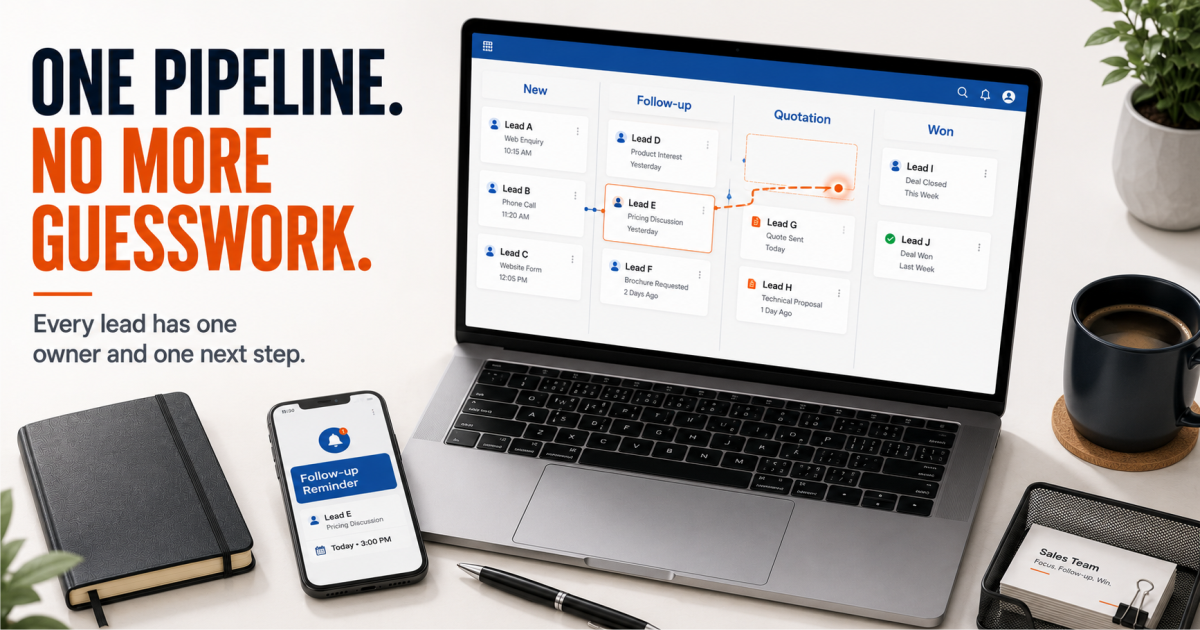
One salesperson keeps every follow-up in their head. It works fine when the pipeline is small. Then the busy season hits, or that person takes a week off, and three leads that were “about to close” go quiet. Nobody else knew they existed. This is usually the first real signal that a team needs a CRM for your sales team, not another Excel tab.
Quick Answer
A CRM for your sales team gives every lead a single owner, a visible next step, and a follow-up date that does not depend on memory. Without it, leads sit in personal notebooks, WhatsApp threads, and whoever-remembers-first systems. For growing B2B teams working leads from calls, WhatsApp, and web forms, this is where deals quietly die between “interested” and “closed.” A structured pipeline stops that leak before the buyer talks to a competitor.
Why Sales Teams Miss This Until It Costs Them a Deal
Most founders and sales heads don’t notice the gap until a specific deal falls through and someone asks: “Did we even follow up?” The answer is usually “someone was going to.” That single sentence is the whole problem. This is not a question of effort. It is a question of ownership.
5 Signs Your Team Needs a CRM for Your Sales Team
Leads Come From Five Places and Live in None of Them Together
Calls, WhatsApp, website forms, referrals, and social media leads all land somewhere different — a notebook, a phone, an inbox. No single view exists of what is actually in the pipeline.
Follow-Ups Happen on Memory, Not on a Date
“I’ll call them tomorrow” becomes next week. By the time someone calls, the buyer has already spoken to two competitors.
Management Asks for a Pipeline Number and Gets Three Different Answers
The founder asks how many deals are in progress. Sales says twelve. The spreadsheet says nine. Nobody is lying — nobody has one source of truth.
A Salesperson Leaves and Takes the Pipeline With Them
Their leads, their follow-up history, their half-finished conversations — all of it walks out the door with them, because none of it lived anywhere but their head.
Support and Sales Are Disconnected
A customer complaint comes in over email while sales is trying to upsell the same account. Neither team knows what the other is doing.
The Cost of Staying on Spreadsheets
None of these signs feel urgent on their own. A missed follow-up here, a confusing report there. This works until it doesn’t — until a deal that should have closed goes to a competitor, and the founder wants to know why. Spreadsheets are not built to answer “where did this lead come from and what happened to it.” A CRM for your sales team is.
Sales Pipeline
Still tracking leads across five different places?
See how TargetCRM brings them into one pipeline.
See How It Works
How TargetCRM Shortens Each Stage of the Cycle
What Changes With TargetCRM
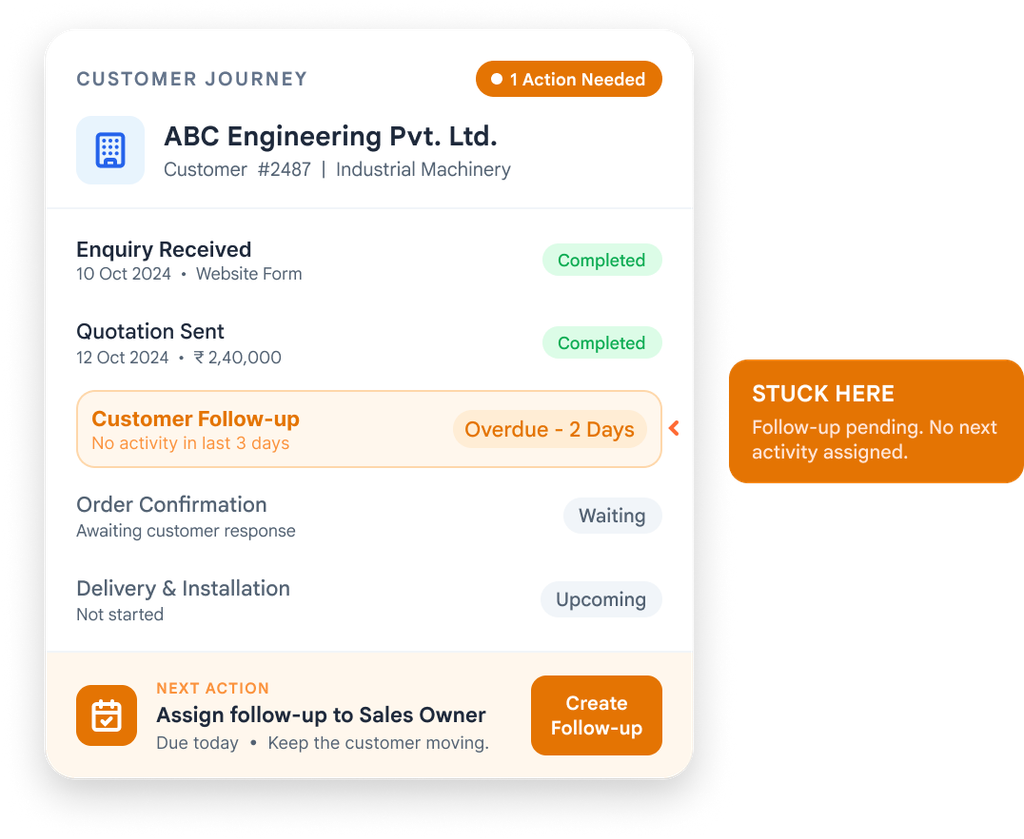
TargetCRM gives every lead — however it arrives — one owner and one record. The sales automation that runs underneath this is what keeps follow-ups from depending on memory. Follow-ups get a date, not a hope. Management sees the real pipeline number, not three conflicting ones. When a salesperson leaves, the leads and history stay with the business, not with them.
The system owns the follow-up, not a person.
That single shift is usually what separates teams that keep growing from teams that plateau on referrals alone.
Support tickets and sales activity sit in the same system, so a customer conversation on one side does not surprise the other. For teams moving off Google Sheets and WhatsApp for the first time, most of this can be set up in around 30 days for standard lead, follow-up, and reporting workflows — when scope, users, and data are ready.
Ready to Change?
Ready to stop losing deals to bad timing?
We’ll walk you through the pipeline and follow-up setup for your team specifically.
Book a Walkthrough
What to Check Before You Decide
Before evaluating any CRM, get clear on three things: how many people actually need to log in day to day, where your leads are coming from right now, and whether your team will use a mobile app or only a desktop view. These answers shape which modules actually matter — chasing every feature list is how teams end up paying for capability nobody opens.
TargetCRM
A CRM Your Sales Team Will Actually Use.
Built for growing B2B teams who are outgrowing Excel and WhatsApp — not enterprise software.
Talk to Our TeamFrequently Asked Questions
Questions About Choosing a CRM
How do I know if my sales team needs a CRM?
If leads come from more than one source, follow-ups depend on memory, or management gets different pipeline numbers from different people, a CRM for your sales team is overdue. These are the clearest signs a spreadsheet has stopped working.
Can a small sales team use TargetCRM, or is it only for larger teams?
TargetCRM is built for growing teams, typically starting around 5 users. It is designed for businesses moving off Excel and WhatsApp, not enterprise sales floors.
How long does it take to set up a CRM for a sales team?
For standard lead, follow-up, and reporting workflows, TargetCRM can be set up in around 30 days when scope, users, and data are ready. Complex customization or heavy data migration takes longer.
What happens to lead history if a salesperson leaves?
With a CRM, lead records, follow-up history, and notes stay attached to the account, not to the individual. Nothing walks out the door when someone exits.
Does a CRM replace WhatsApp for sales follow-ups?
No — most Indian sales teams still use WhatsApp to talk to buyers. A CRM tracks that the follow-up happened and when the next one is due, so it does not depend on memory.
Can support and sales share the same system?
Yes. TargetCRM keeps sales pipeline activity and support tickets in one place, so both teams see the same customer history instead of working from separate tools.
Start with one real example
Show us where customer work gets stuck.
A missed follow-up. A sales-to-delivery handover. A service escalation. Bring the process you want to improve.
Email connect@targetcrm.cloud with your workflow and user count.
targetcrm