See the full customer relationship—not scattered pieces
TargetCRM connects the work that happens before, during and after a sale. Teams share customer history, ownership, pending actions and business context in one place.
Book a workflow demoExplore platform capabilities
Bring one real workflow. We will show how it could work in TargetCRM.
The customer sees one company. Your systems should too.
Sales knows the enquiry. Accounts knows the order. Projects knows the delivery. Service knows the complaint. Management tries to join the story through meetings and spreadsheets. TargetCRM connects that story around the customer record.
Shared context. Clear ownership. Visible progress.
Give each team the customer context and next actions needed to keep work moving.
Shared customer view
See contacts, conversations, opportunities, quotations, projects, tickets, contracts, documents and activity history together.
Ownership and next action
Know who owns each record, what must happen next and where work is delayed.
Workflow automation
Automate assignments, alerts, approvals, follow-up reminders and routine process steps without losing human control.
Role-based access
Give teams access based on their responsibility. Keep sensitive information limited to the people who need it.
Dashboards and reports
Turn operational data into daily lists, management dashboards and scheduled reports.
Mobile access
Help teams review customers, activities and pending work when they are away from their desks.
One record across the operating journey
Enquiry → Qualification → Opportunity → Quotation → Order → Project or delivery → Support → Renewal. Your exact stages can be configured around how your team works.
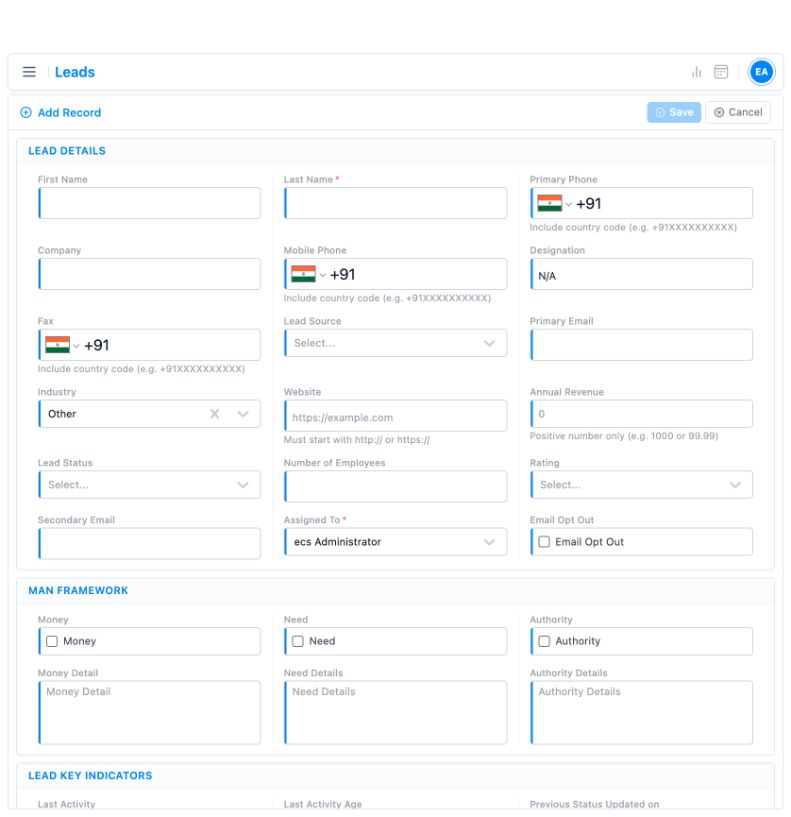
Capture and assign
Record the enquiry, lead source and assigned owner.
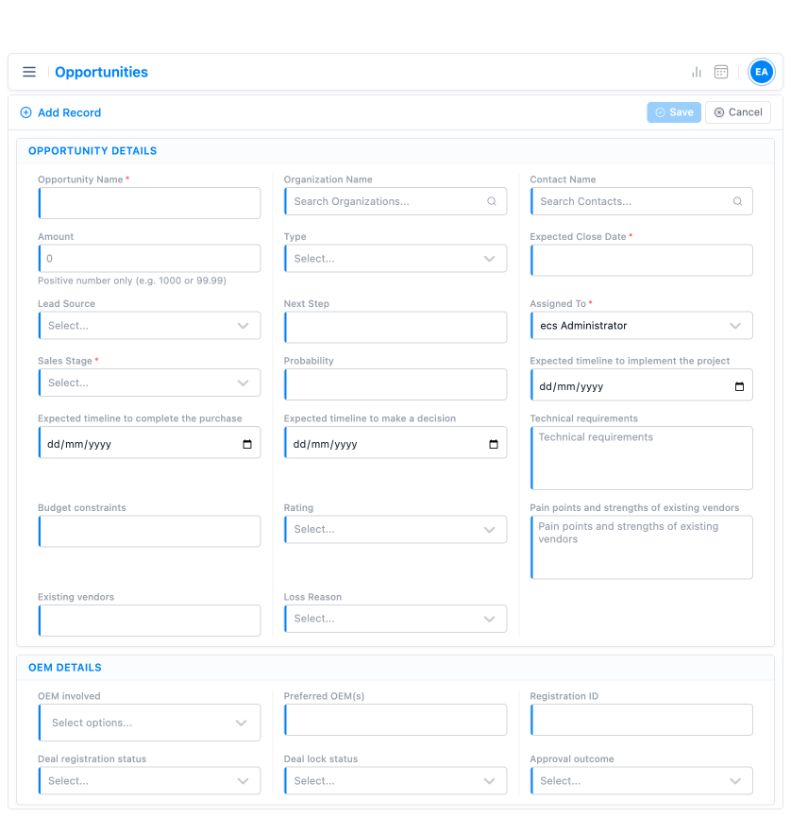
Move the opportunity
Record the sales stage, next step and expected close date.
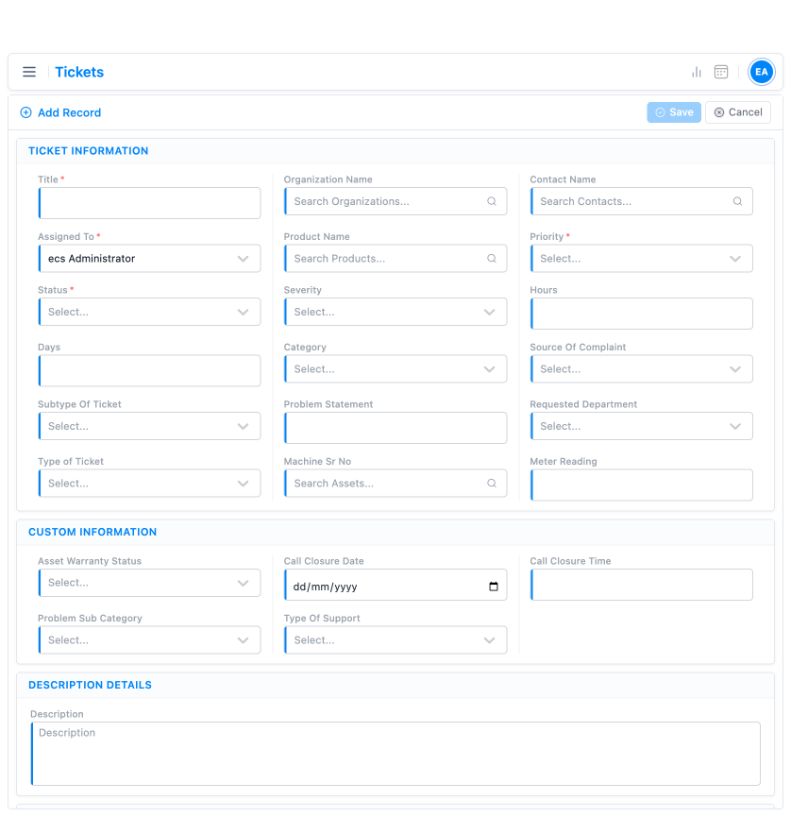
Organise the service request
Capture ticket priority, ownership and complaint context.
Illustrative demo interfaces, shown without customer records. Field layouts depend on configuration.
Configured around your real process
Standard implementations take 2–3 weeks when scope, users and data are ready. Complex migration, integrations or customisation can take longer.
Understand
Discuss the workflow and hand-offs.
Agree scope
Confirm priorities, users and data.
Configure
Prepare the system and supported data.
Train & launch
Help teams adopt the new process.
Improve
Support the team and refine.
Support is available through online meetings, telephone, chat and the customer portal. Discuss implementation →
Fit TargetCRM into the wider workflow
We confirm each connection against the application, its APIs, plan and implementation scope. TargetCRM also offers lead scoring, lead research and business-card scanning.
IT teams can review integration method, user access, data migration and hosting requirements during discovery; specific commitments are agreed with the scope.
Available integration options
- SAP and Amazon S3
- WhatsApp and Meta platforms
- LinkedIn Ads
- Gmail and Microsoft applications
- Mailchimp and Brevo
Integration availability is not a promise of instant, native or plan-included connectivity.
Know what to expect
How long does implementation take?
Standard implementations take 2–3 weeks when scope, users and data are ready. Complex requirements can take longer.
Can we use our existing process?
We review the workflow, then agree what to configure, integrate or handle in a later phase.
Can sales and service share customer context?
TargetCRM connects customer records with sales, project and support workflows.
Which support channels are available?
Online meetings, telephone, chat and a customer portal.
See your process in one connected platform
Bring an enquiry, quotation, project hand-off or service case. We will show how TargetCRM could handle it and clarify implementation scope.
Book a workflow demoReview platform capabilities
Email our team with your workflow and user count to request a demo.